
If you need to consult about a survey being sent to a specific guest, you can download the report from the Response Rate section.
1. Head to the Summary section in Onsite or FollowUp.
2. Once in the Summary section, you must look for the box called Response Rate. In this box, you will find the button to download the report:
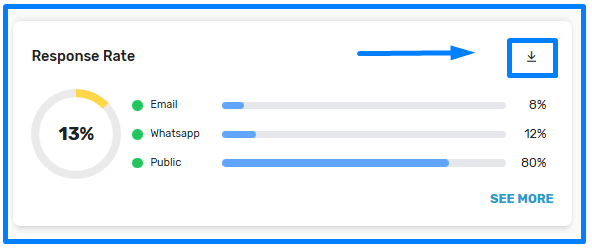
3. Once you download the report, inside it you will find the following columns:
- Name: Guest's name
- Last Name: Guest's last name
- Email: Guest's registered email
- Phone: Guest's registered phone number
- Delivery Channel: Medium used to send the survey (Email, WhatsApp, Public Link)
- Origin Name: If the response was through a public link, the name of this link will be displayed
- Survey Name: If the hotel has more than one survey, its name is displayed
- Survey Status: Last status registered in the report (Sent, Opened, Answered)
- Room: Guest's registered room number
- Contact Instance: If the sending corresponds to the first or second (reminder) sending
- Survey sent Date (UTC): Date and time the survey was sent
- Open survey Date (UTC): Date and time the survey was opened
- Answered survey Date (UTC): Date and time the survey was answered
4. You can consult the status of each sending or use the filters in each column to search for a specific guest.
What does UTC mean?
UTC (Coordinated Universal Time) is the primary time standard used all over the world. It is like the universal time that does not change, and from which all local time zones are calculated.
Why is the time in the Fidelity reports displayed in UTC?
Because our platform is used in various countries, the UTC time standard is used to be able to show the same information to all our clients.
How can I convert the UTC time to my country's time?
The safest and most convenient way to do it, without worrying about summer/winter time changes, is to use an online time zone converter or your smartphone's clock application. You can search on Google for "UTC to (insert your country) converter" and it will give you the exact result right now.